Blog
The biggest advantages of using a dashboard to manage your e-signatures
The NEW eSign dashboard lets you work better by showing all your electronic signature sessions, their status, and any action items in one place.
Electronic signatures are powered by the cloud, smart automation, and world-class security features to simplify your workflow and make your entire business run faster and more smoothly. Constellation1 eSign takes the tedious task of following up with signers off your plate, so you can focus on closing deals, not chasing signers.
Constellation1 eSign is already known for its simple and intuitive workflow to collect secure, legally binding electronic signatures on all your important documents in minutes, rather than days. We’re pleased to bring our eSign customers a game-changing development in the way they manage their signing sessions: the eSign dashboard.
The new e-signature dashboard
One of the biggest benefits of automating your electronic signature workflow is ease of mind, knowing you no longer have to think about the status of every session all the time. But since you’re no longer keeping tabs on everything (and can think about more important things instead), you might lose track of where things are, especially during busy periods.
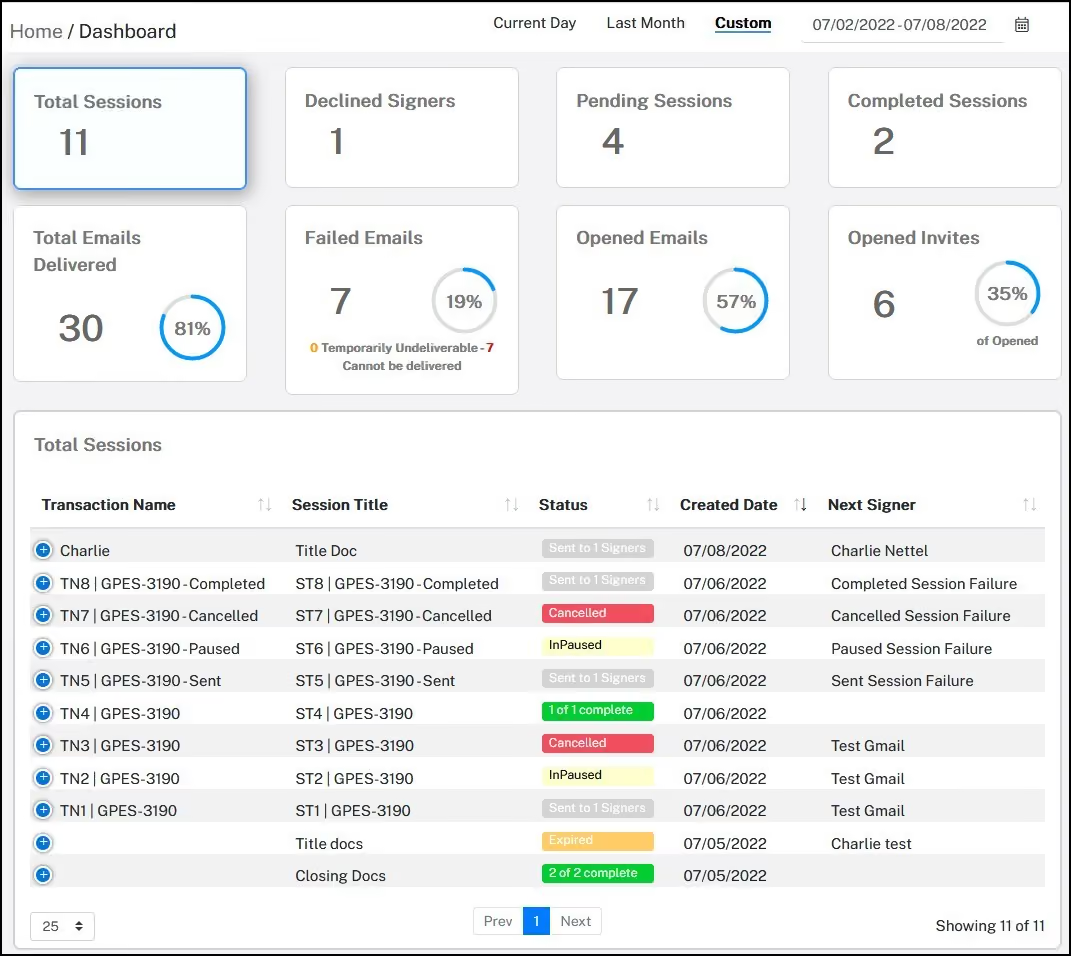
We created the new eSign dashboard to give you a snapshot of your signing sessions and one-click access to the sessions that require your hands-on attention. Let’s take a closer look.
Find the right electronic signing session fast
The top navigation allows you to quickly filter signing sessions by date, then further sort sessions using the 8 tiles at the top of the dashboard. Each tile is marked and shows you exactly how many sessions meet the relevant criteria:
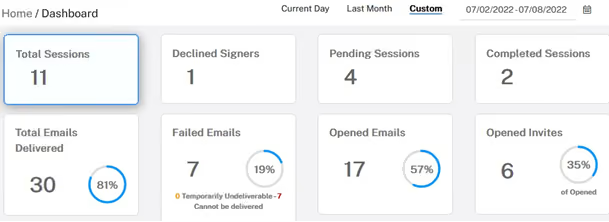
The corresponding signing sessions will be listed below when you click a tile. If you’re trying to ensure all your signing sessions go smoothly, you might be especially interested in Declined Signers and Failed Emails.
Fix signing sessions and get things back on track
If a signer decides they want to modify the terms of a contract before signing, they might decline to sign. In eSign, when a signer declines to sign, they are asked to give a reason. This reason will show in the Declined Signers section:
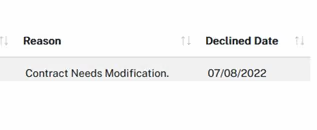 Regardless of why a signer might decline to sign, you can fix it in no time. With just two clicks, you can either resend the document, update the signer information, or modify the document, so you can proceed:
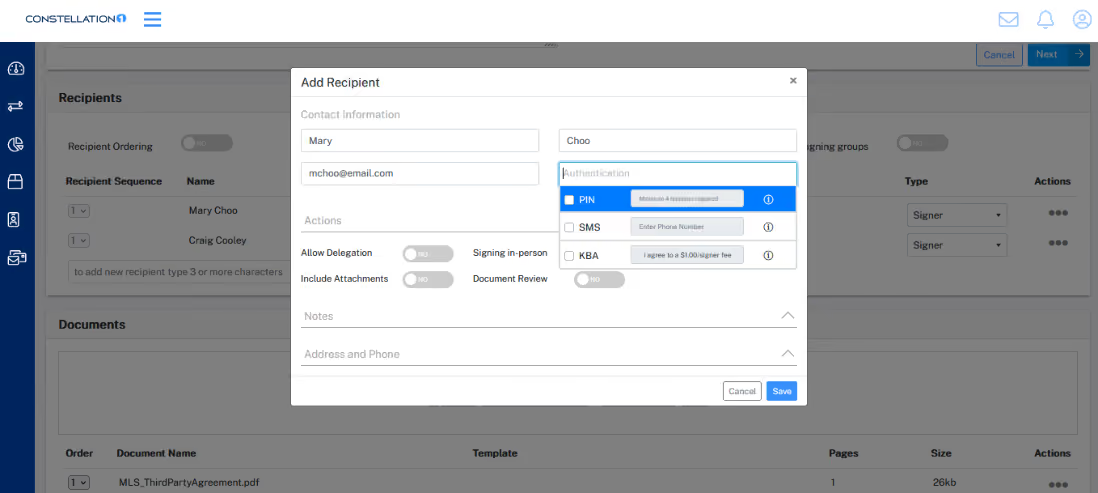
With the eSign dashboard, you can act quickly and easily to keep all your signing sessions on track.
The easiest way to sign documents electronically
No matter your industry, Constellation1 eSign is the easiest way to get legally binding signatures on all your important documents quickly and easily. Thanks to the new eSign dashboard, you now have unprecedented visibility into all your signing sessions and even more peace of mind.
Download our eSign Security and Legal Guide to learn even more about the advantages of eSign.